It’s never too late to start blogging, and getting started is easier than ever before. The most important decision to make at first is to choose a platform to construct it on, which usually means deciding between Blogger and WordPress.
Blogger is a simple tool that allows you to quickly and easily write a blog and publish it online. WordPress, on the other hand, is a full-featured Content Management System (CMS) for developing websites (we’re talking about self-hosted WordPress here, not WordPress.com). Each has its own set of advantages and disadvantages that you should be aware of before choosing one over the other.
This debate can be quite perplexing at times. Many people choose BlogSpot because it has less technical issues, but others prefer WordPress development services because it has more power and capabilities.
Start using WordPress.com for a month and then move on to the self-hosted WordPress platform once you’ve gotten the hang of it. Alternatively, you can utilise Blogger.com as your starting point for blogging, but don’t rely on it for too long.
There were a lot of learning moments attempting to figure out WordPress back then. With the help of informative instructions, tutorials, and videos, learning WordPress has never been easier.
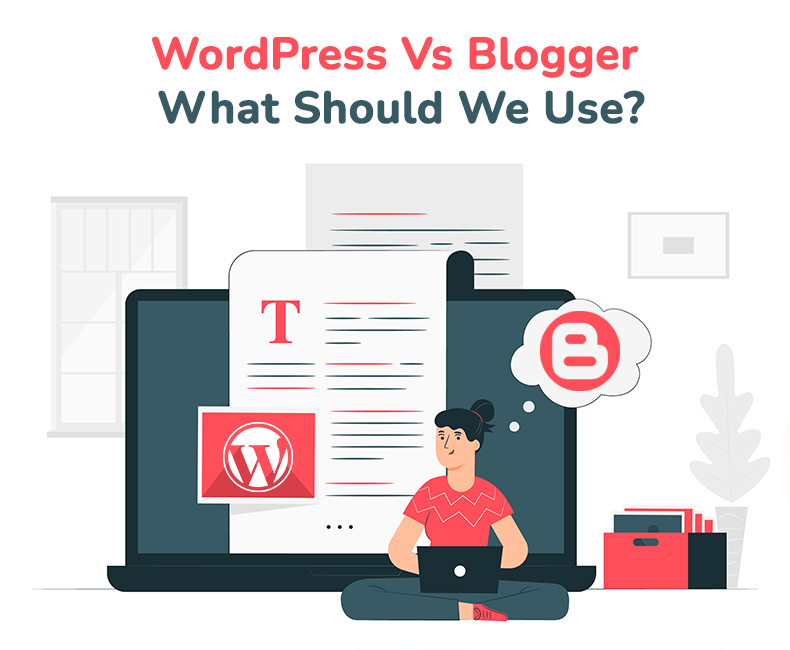
WordPress vs Blogger: Which platform is better?
When you only want to build a blog to share your thoughts, the Blogger platform (formerly known as BlogSpot) is incredibly beneficial. BlogSpot is great if you aren’t blogging for a living or need a simple platform that doesn’t require any technological knowledge.
WordPress development company is a comprehensive Content Management System (CMS) — a platform for creating online content. In practise, this implies that WordPress may be used to create almost any form of website.
However, WordPress began as a blogging platform, and it is still well suited to that purpose. WordPress, like Blogger, is free, albeit it does not host your blog for you. After you’ve chosen a hosting plan and a domain name, you’ll be able to instal and set up your WordPress site. We recommend Bluehost if you’re looking for an economical WordPress host with easy-to-use features.
While BlogSpot has numerous restrictions in terms of functionality and SEO value, it is the appropriate choice if you simply need a platform to build a blog for nearly no money.
At the same time, if you’re blogging for profit, authority, or personal branding, BlogSpot isn’t the best option. This is because you have minimal control over your exposure in search engines, and you become quite limited when you wish to add new content after a period.
We have minimal control over our site on the Blogger platform. Despite the addition of several new SEO capabilities, BlogSpot still falls short in terms of SEO optimization.
In a word, the Blogger platform outperforms WordPress when it comes to starting a blog just for the purpose of writing. If you don’t mind the Blogger platform’s restricted functionality, this is a fantastic option. The WordPress platform is superior for producing money or making a long-term effect.
Why and why not WordPress?
You have complete control over your blog with WordPress, and you can potentially do whatever you want. You host your own files, design them any way you want, and use them for whatever you want (personal or professional).
You also have complete control over SEO, including the ability to add SEO plugins to your blog to make it more SEO-friendly. Furthermore, you can always use a plugin like Rich Snippets to implement the latest SEO methods like star ratings.
WordPress will allow you to accomplish anything you desire. You must, however, operate your own blog at the same time. You must install WordPress on your own server and maintain the health of your blog.
Getting started with WordPress may necessitate some time spent watching videos, learning how to add a plugin, familiarising yourself with the dashboard, and so on.
But don’t we have to do it with Blogger as well?
If you want to start a blog with the goal of making money off of it, a self-hosted WordPress blog is the way to go. BlogSpot is the finest option if you are a casual writer or a hobby blogger.
Here’s a helpful chart from HowJoyful that compares the features of BlogSpot, WordPress.com, and self-hosted WordPress (WordPress.org):
How is WordPress better?
Blogger and WordPress both have their uses and are beneficial to different types of users. What you really want to know is which one you should choose.
Blogger is useful for individuals who want to start a blog and have it completely functional right away. If all you need is a simple hobby blogging platform, this could be the answer. To get started, you won’t have to spend anything, and you won’t have to worry about hosting or any other technical issues.
It’s worth mentioning, however, how limited Blogger is. You have a limited number of options for personalizing your blog once again. Plus, there won’t be much else you can do with the platform. Blogger lacks the functionality you’ll need to integrate your blog into a larger website, such as a business site, a portfolio, or a store.
As a result, when it comes to Blogger versus WordPress, we recommend the latter for the majority of people starting a new blog. The startup fees are low, the setup is quick, and it’s designed with beginners in mind. You should be able to have your blog up and running within an hour, and the learning curve for writing and posting entries is minimal.
WordPress vs Blogger: Flexibility
All website construction platforms come with useful built-in features that make them a compelling option for creating a website from the ground up. No single website construction platform, however, can provide enough built-in functionality to fulfill the needs of every site owner. That’s why most systems let you download or buy third-party addons.
WordPress vs Blogger: plugins
You can use third-party widgets on Blogger by including code in the HTML of your blog or directly in the body of your articles or pages. For example, Elfsight has over 50 widgets for embedding Instagram posts, Google reviews, a WhatsApp button, and more on your Blogger blog. Blogger, on the other hand, emphasizes that authors who use third-party widgets or scripts do so at their own risk in its documentation.
When compared to other platforms, WordPress has the most third-party extensions. The main plugin directory offers approximately 55,000 free plugins, with many more premium alternatives accessible in third-party marketplaces. There are over 7,500 plugins for sale on CodeCanyon, for example.
WordPress vs Blogger: Templates
Most website-building platforms include pre-designed templates in addition to third-party addons. Not having to start from scratch is a huge advantage — it not only speeds up the setup process but also allows anyone to construct a stunning website without the help of designers or developers.
Bloggers offer 12 different template styles, some of which are available in several color schemes. These are simple to set up and personalize.
You may change the colors, font, and background of your posts, pages, navigation, sidebar, and links with the built-in editor.
While third-party sites sell WordPress templates, WordPress is best recognized for its themes.
Blogger vs wordpress: Price
Budget is a key element to consider when picking a blogging platform, whether you’re just starting out or have been blogging for years. Let’s look at the costs of starting and maintaining a blog on Blogger versus WordPress.
Blogger is a free blogging platform that includes everything you’ll need to rapidly set up and publish a blog. There are no costs for hosting, SSL certificates, or templates. If you’re alright with using a Blogspot subdomain, you don’t even need to pay for domain registration.
Although WordPress is free to use, there are charges connected with creating and maintaining a self-hosted website.
Blogger vs wordpress: SEO
To optimise both sorts of SEO, you’ll need a platform with the built-in features and add-ons you’ll need to get the most out of your efforts.
You can optimise your blog for search engines in various ways with Blogger. You may change your permalinks, add keywords to your post and page names, add headers, optimise the alt text of your photos, hide pages from searches, and tell search engines not to follow particular links with WordPress.
You may not only add image alt-text, meta descriptions, headings, and custom URLs to your posts and pages, but you can also keep detailed control over every component of your code to guarantee it’s opt-in friendly.
Blogger vs wordpress: Support
Do you have a feeling of being overwhelmed? That’s OK. It takes a lot of effort to learn a new platform while building and maintaining a website. There will be questions as you set up, customize, manage, and debug your site. You’ll need input from more experienced users, designers, and developers to address those questions. Documentation, third-party resources, or 1:1 support may be required, depending on your learning style.
Google does not give one-on-one help to Blogger users because it is a free publishing platform. There is a community forum where you may ask questions and receive responses from other users, as well as a help center with tutorials and other documentation. These articles can also be accessed straight from your Blogger dashboard.
WordPress development services, like Blogger, do not have a dedicated support crew. It does, however, have the greatest global community of users as an open-source CMS. That means you can go to the WordPress support center and discover an official online manual from the WordPress developers that covers everything from installing the software to designing custom plugins.
Blogger vs WordPress: Security
Security is a major matter. If your website is taken over, you devote all of your effort and attention to restoring it, if at all feasible.
You don’t have to be concerned about security using Blogger. Google takes care of everything, including safeguarding your blog, generating backups, and managing the resources on your server. That’s a very solid setup you’ve got there.
WordPress is the most hacked CMS due to its popularity. Over 56 percent of all CMS apps were out of current at the time of infection, according to the yearly website hacking trend study. This is one of the most important reasons to keep your software up to date and secure.
WordPress receives small updates every few days, as developers strive to provide timely security and bug fixes. There are a few major releases a year to keep track of as well. So, when WordPress is using the most recent software, it is quite secure.
However, because it’s self-hosted, you’re in charge of everything, including website security. The good news is that managed WordPress hosting providers handle security and backups for you — or you can use one of the many free WordPress plugins that do some of these things for you.
Wrap up
It’s not easy to choose a platform for your new blog if you do not want to hire a plugin developer. There are so many choices that it’s easy to become overwhelmed. Blogger and WordPress are two of the most popular names you’ll hear, and you might be wondering which is best for you.
- Blogger: This is a free, easy-to-use blogging platform that will get you up and running in minutes. However, you have very few options for personalizing your blog or doing much more than writing basic entries.
- WordPress: Getting started with this platform takes a little more time (as well as the cost of a hosting plan and a domain name). On the other side, it’s simple to use for novices, has a tonne of customization possibilities, a tonne of advanced features, and will easily scale with your site as it grows.
Blogger is ideal for new and casual bloggers alike. You may acquire a decent sense of what blogging is all about by starting for free. However, before you go too far with your blogging, think about switching to WordPress.
One option is to select the appropriate platform and hire a WordPress developer. When determining whether to establish a blog, think about the benefits of selecting a publishing platform such as Blogger or a content management system such as WordPress.